Users
The Users page lets you manage who can log into the agent's admin UI and review the session history for every login.
- Users
- Sessions
Admin Users
The Users tab lists every account that has access to the admin UI. From here you can add new users, change passwords, and remove accounts that no longer need access.
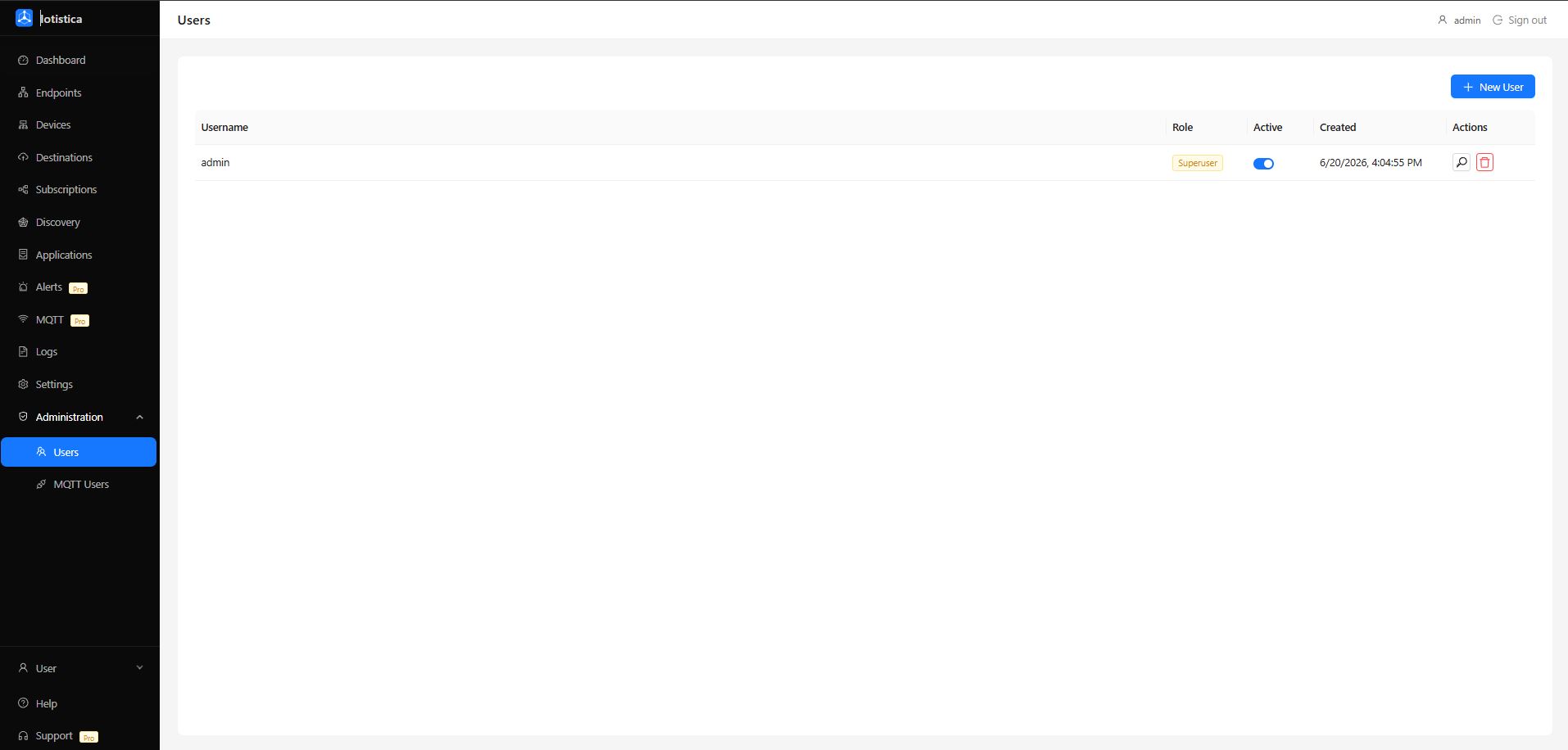
Adding a User
Click Add User in the top-right corner. Enter a username and password, then select a role:
| Role | Access |
|---|---|
| Admin | Full access — can read and write all settings, manage users, and control containers |
| Viewer | Read-only access — can view all pages but cannot make changes |
Click Save to create the account. The new user can log in immediately with the credentials you set.
Changing a Password
Click the Edit icon on any user row to open the edit drawer. Enter a new password and confirm it, then click Save. The change takes effect on the user's next login — existing sessions are not invalidated.
Removing a User
Click the Delete icon on a user row and confirm the prompt. The account is removed immediately. Any active sessions for that user are terminated.
You cannot delete the last admin account. At least one admin must exist at all times.
Session Audit
The Sessions tab records every login to the admin UI — who logged in, when, and whether the session is still active. Use it to audit access or investigate unexpected activity.
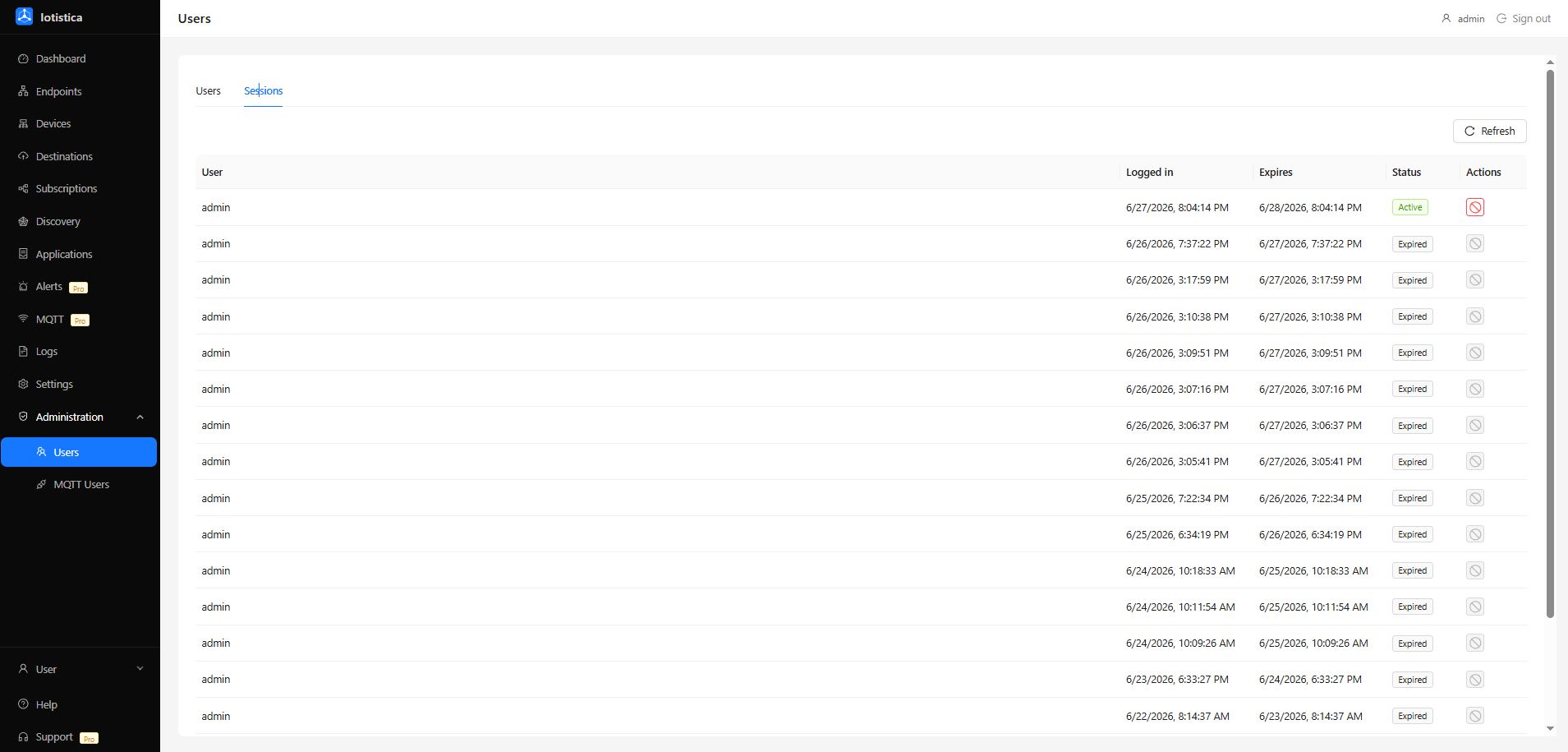
Session Table
| Column | Description |
|---|---|
| User | The username that authenticated |
| Logged in | Timestamp when the session was created |
| Expires | When the session token expires (24 hours after login) |
| Status | Active — session is valid; Expired — session timed out or was revoked |
| Revoke | Terminates an active session immediately — the user is logged out on their next request |
Sessions expire automatically after 24 hours. Deleting a user from the Users tab terminates all of their sessions immediately.
Related Docs
- Logs & Audit — system logs, container logs, and session audit overview
- Settings — agent configuration and security mode