Settings
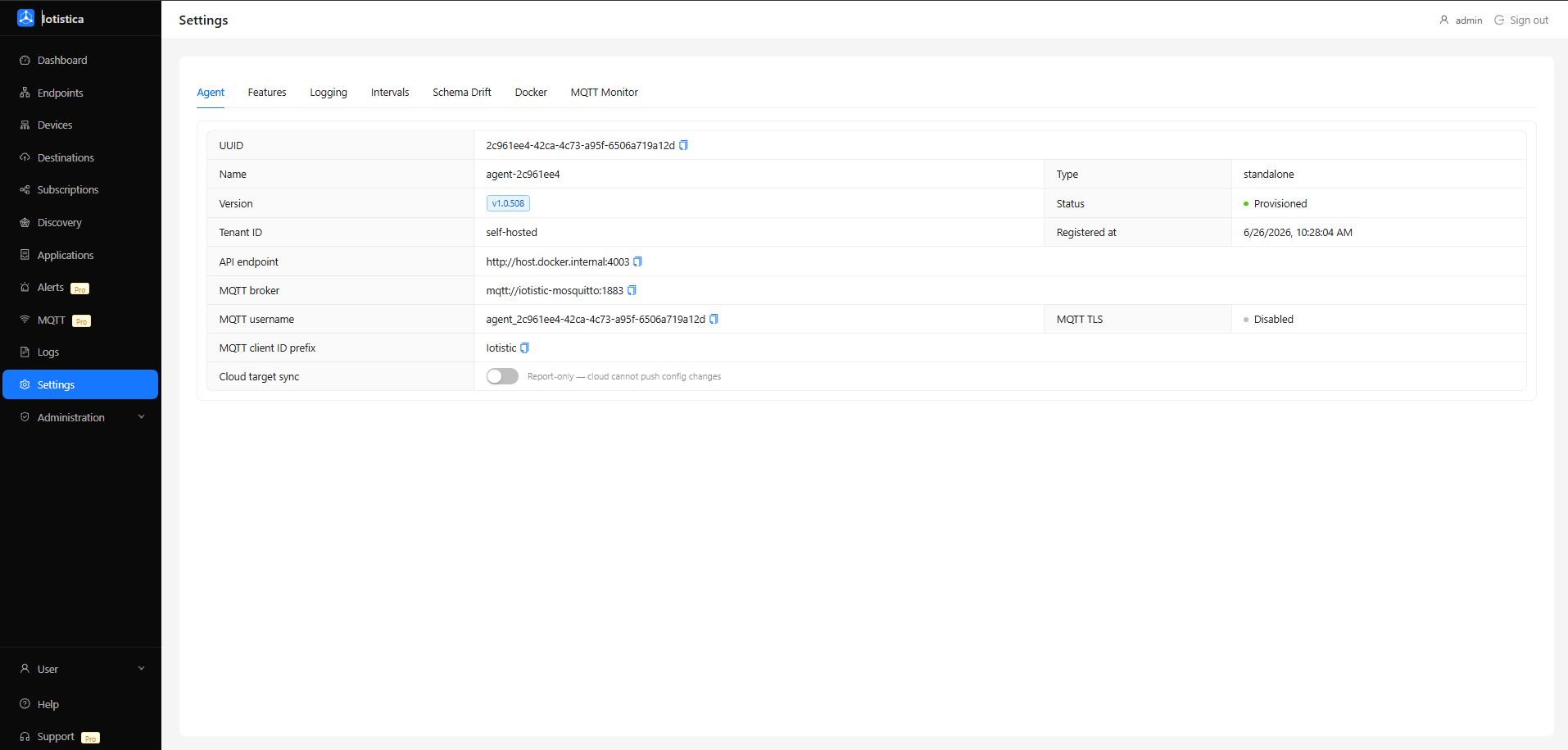
The Settings page controls agent-wide behaviour. Changes are applied immediately for most settings; a few require an agent restart and are noted below.
Agent Info
The top section shows read-only information about the running agent: its UUID, firmware/software version, and API endpoint. If you're in standalone mode, the API endpoint and MQTT broker fields will be empty — that's expected.
Features
Toggle individual features on and off:
| Feature | What It Does |
|---|---|
| Metrics Publishing | Send endpoint data to destinations via subscriptions. Turn this off to stop all data forwarding without deleting your subscriptions. |
| Anomaly Detection | Run the local anomaly detection engine. |
| Job Engine | Enable scheduled jobs and automation tasks. |
| Cloud Logging | Forward agent logs to a cloud endpoint (only relevant when cloud sync is configured). |
Logging
| Setting | Description |
|---|---|
| Log Level | Controls verbosity: debug, info, warn, error. Use debug when troubleshooting, info for normal operation. |
| Log Max Age | How long to keep log entries (in milliseconds). Older entries are pruned automatically. |
Intervals & Timing
These control how often the agent performs background tasks.
| Setting | Default | Description |
|---|---|---|
| Report interval | 60 s | How often the agent sends a status report (relevant with cloud sync) |
| Metrics interval | 60 s | How often system metrics (CPU, memory) are sampled |
| Reconciliation interval | 30 s | How often the agent checks for configuration changes |
| Target state poll | 60 s | How often the agent polls for a new desired state (cloud sync) |
| Full discovery scan | 24 h | How often a full network discovery sweep runs automatically |
| Light discovery scan | 4 h | How often a lightweight discovery scan runs |
Runtime & Memory
| Setting | Description |
|---|---|
| Memory threshold (MB) | If the agent's heap grows above this, it logs a warning |
| Check interval (ms) | How often the memory check runs |
Schema Drift Detection
This section appears once per protocol pipe (one block per protocol you have endpoints for — e.g. Modbus, OPC-UA, BACnet).
Schema drift monitoring watches for unexpected changes in the fields that devices report. If a device suddenly stops sending a field it always sent, or starts sending a new one, the agent logs a warning.
| Setting | Default | Description |
|---|---|---|
| Enabled | On | Toggle drift detection for this protocol |
| Warmup batches | 20 | How many data batches to observe before establishing a baseline |
| Missing field threshold | 10 | Consecutive batches a field must be absent before it's flagged |
| Alert cooldown (ms) | 30 min | Minimum time between repeat alerts for the same field |
| Min field presence ratio | 0.5 | A field must appear in at least this fraction of warmup batches to enter the baseline |
Tuning tips:
- If you're seeing false drift alerts on BACnet or OPC-UA (where not every device responds in every poll cycle), increase the missing field threshold to 20–30.
- If your devices take a while to warm up and report all their fields, increase warmup batches to 50.
- Changes take effect after the agent restarts (the baseline models are built at startup).
Each protocol has its own Save button — changes to one protocol don't affect others.